APIs & Integrations
Connect your platforms. Reduce manual work.
API integrations and custom API development that connect your CRM, payment, accounting, and e-commerce platforms—so your tools exchange information and stay in sync.
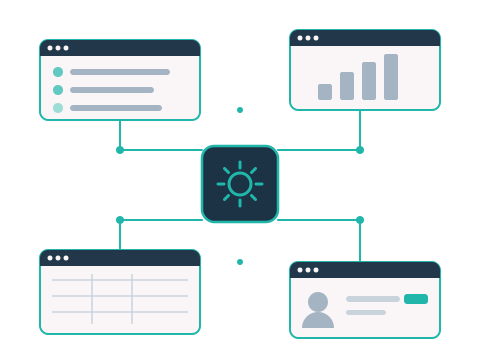
What I connect
Make your systems work together.
When information has to be copied from one tool to another by hand, an integration can move it for you—so your platforms stay consistent and your team spends less time on manual work. Common connections include CRM, payment, accounting, and e-commerce platforms.
How it’s done
The connection is only part of the work.
A successful integration involves more than linking two systems. These are standard considerations in every integration project, with final deliverables confirmed in each proposal.
Clear scope
Defining what data is shared and what should happen.
Access permissions
Setting up appropriate access between systems.
Data mapping
Matching fields and structuring data correctly.
Error handling
Planning for unexpected issues and clear responses.
Testing
Testing that the integration works as expected.
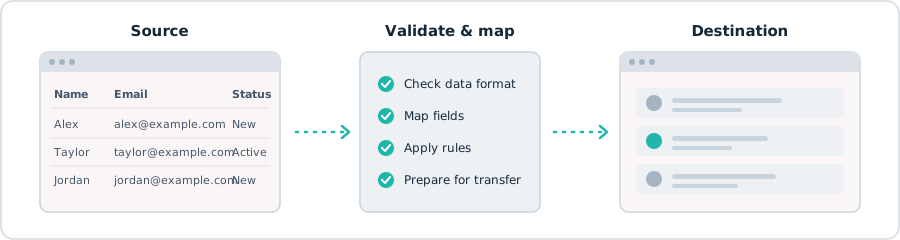
Process
The integration process.
A clear, collaborative process from start to finish.
Selected work
Integration projects.
Questions
Frequently asked questions.
What is an API integration?
An API (application programming interface) is a way for software to exchange information with other software. An API integration uses it to connect your platforms, so data can move between them without being copied by hand.
Can you connect the tools my business already uses?
In many cases, yes—including CRM, payment, accounting, and e-commerce platforms. What’s possible depends on whether each platform provides an API or another supported way to exchange data, which we review at the start of the project.
Can you build a custom API?
Yes. I develop custom APIs and also integrate with the existing APIs your platforms provide.
Can my website be connected to other systems?
Yes. Website forms can send submissions directly to your CRM or other systems, and your website or online store can be connected with other platforms to synchronize data.
Can integrations include AI features?
Yes. AI integrations—such as AI assistants and document processing—can be combined with the connections between your platforms.
Do you work with clients in other countries?
Yes. I work with clients worldwide.
Related services.
APIs and integrations often work hand in hand with other solutions.
Custom Software
Web applications, dashboards, and tools built around your workflows.
AI Integration & Automation
AI features integrated into your existing tools and workflows.
Websites & E-Commerce
Connect your website or online store to the other systems you use.
Which systems do you need to connect?
Tell me which tools you use and where information is being copied by hand—we’ll look at what can be connected.