AI Integration & Automation
AI integration for the software you use.
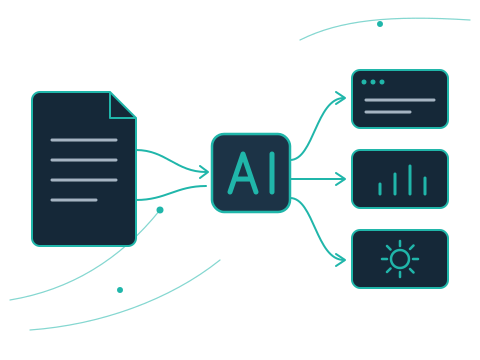
AI assistants, document processing, content workflows, and workflow automation—connected to your websites and business software through AI API integrations.
What I build
Turn AI capabilities into useful features.
AI works best when it solves a specific problem inside the tools your team and customers already use—not as a separate experiment.
AI assistants
Add AI assistants to your website or application to help users find information and complete tasks.
Document processing
Extract and organize information from your documents and turn it into structured, usable data.
Content workflows
AI-assisted workflows for generating, transforming, and reviewing content as part of your existing processes.
AI API integration
Connect AI capabilities to your existing software and workflows through well-structured API integrations.
Workflow automation
Automate repetitive steps by combining AI features with the connections between your tools and platforms.
Process
How an integration takes shape.
Start with the right use case.
Before implementation, we define what success looks like, review the expected output, and consider usage costs and data-handling requirements. This helps keep the solution practical, aligned with your goals, and appropriate for your data and users. There are no guarantees: results depend on your specific use case, data, and requirements.
Your data
A data-handling approach for each project.
How data is handled depends on your use case and the AI provider selected for it, so it is agreed for each project before development begins.
1
Decide what is sent
We determine which information the integration needs to send to the AI provider, and which it doesn’t.
2
Keep it to what’s necessary
Unnecessary data is left out, so only what the feature requires is processed.
3
Agree sensitive data and access
We agree how sensitive information is handled and who needs access to what.
4
Define human review
We define where a person should review AI output before it is used.
AI providers set their own terms for how they process and retain data. These are reviewed for the provider chosen for your project; they are not promised here.
What we clarify together.
Questions
Frequently asked questions.
Can AI be added to my existing website or application?
Yes. AI features are connected to the software you already use through AI API integrations, so you don’t need to replace your existing tools.
What kinds of AI features can be integrated?
The service covers AI API integration, AI assistants, document processing, content generation and review workflows, and workflow automation. The right feature depends on the problem you want to solve.
Are results guaranteed?
No. Results depend on your use case, data, and requirements. That’s why we define what success looks like and review the expected output before implementation.
What about the running costs of AI services?
AI services usually have their own usage costs. These are considered during planning, alongside the expected output and your data-handling requirements.
Can AI features connect with my other systems?
Yes. AI integrations often work together with API integrations that connect your platforms and keep data in sync.
Related services.
APIs & Integrations
Connect your platforms, synchronize data, and reduce manual work.
Custom Software
Web applications, dashboards, and tools built around your workflows.
What could AI help you do?
Let’s discuss your ideas and explore what’s possible for your software and workflows.